

JASON LESKOS
- Gallery Carousel -
 |  |  |  |
|---|---|---|---|
 |  |  |  |
 |  |  |  |
 |  |  |  |
 |  |
< slide deck gallery >


- creative process -
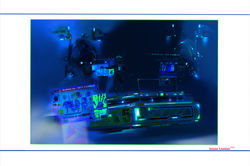
Creation of a three-dimensional digital model using Zbrush software.
This typical hard-surface design consists of many individually created parts, all assembled and positioned together. The technique of 'Polygrouping' uses colour groups to help in the construction of these parts.
Each constituent part can then be assigned a material effect (eg. metal or glass) and a colour with Zbrush's 'Polypaint' feature.
Lighting the finished model can be achieved through rendering a scene, either by default or customized lighting rigs.

• Various orthographic and isometric views of the early stages of the digital model without glass sections.

• Early stage construction of the digital model with square colour patches indicating the positions of various 'polygroups'.
polypMat.png)
• Rear view of digital model indicating parts with 'Polypaint' and material effects.

• Extended Zbrush Interface: three views of model with basic material/textures and 'Polypaint' colour effects applied.